Thursday, October 8, 2020

Update of this website

 I need to apologize to former students that prior pages were deleted. Two things happened. First, the district used to allow each school to have its own website. This practiced was stopped and all of the material that had been on the site was lost when the district quit paying for the site.  Second, When I first began using Google Blogger I would remove students' names off the webpage at the end of each year. I realized this was not a good practice and stopped removing students' names from the website after the 2014 school year. So if you were a student prior to that time I apologize.

Thank you all who participated in my computer class. I hope it was fun and educational. Each year I added and or deleted assignments, but at the heart of my classroom was the blog page.

Sunday, August 31, 2014

Here We Go 2014-2015 School Year!

We are getting things started here at Hillside. To visit new 2015 website go to:  HHS 2015

Wednesday, April 2, 2014

Week 1 - 4th Quarter Final Green Screen Project

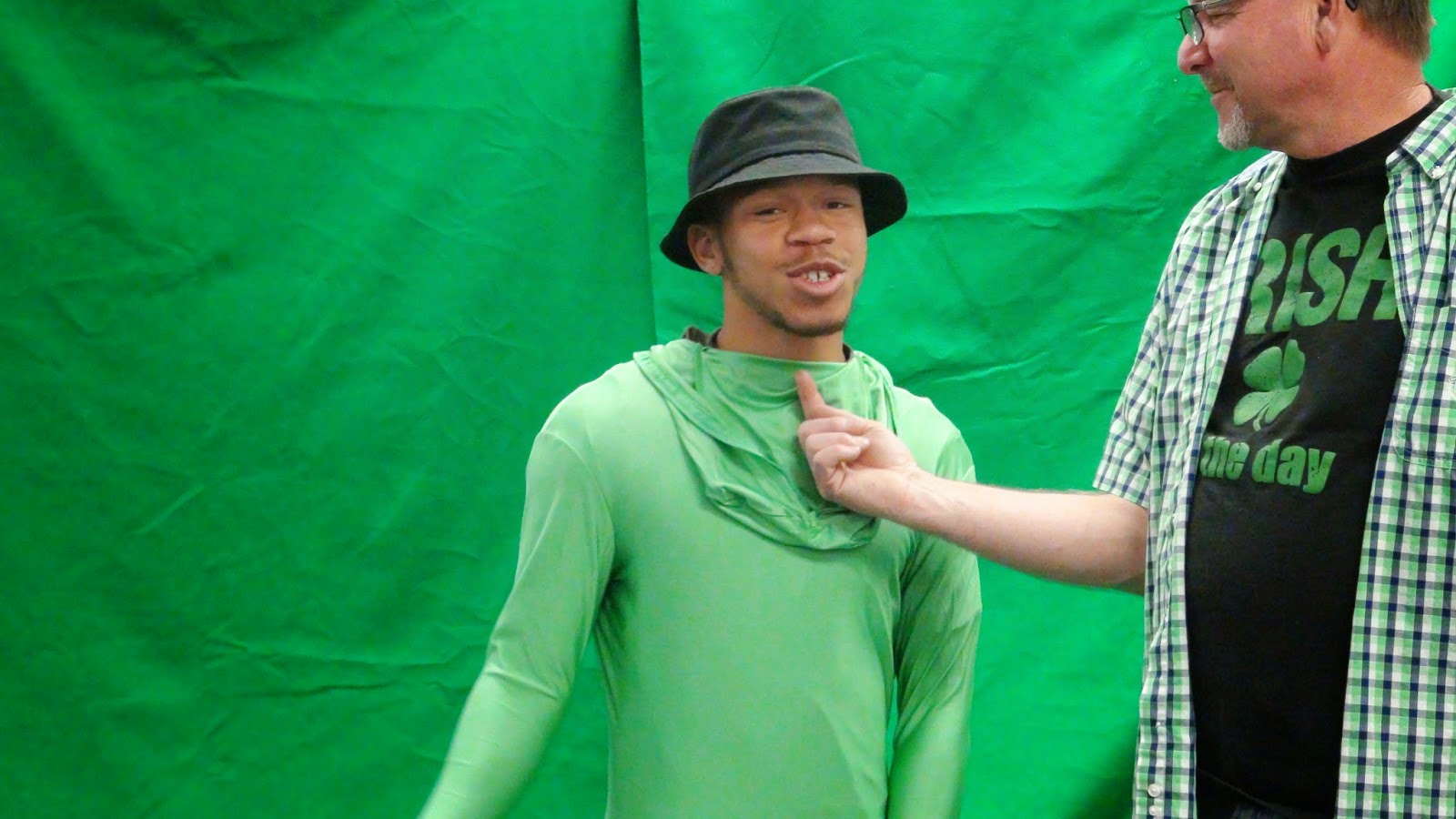
The students have been given the green screened clip of me and are to modify it. The students are to remove the existing sound from the audio, add sounds where appropriate.  Anything goes. So here we go.


Friday, March 21, 2014

Week 8 Green Screen Work

Some projects created this week using green screen techniques.

The first video has a fight sequence that was performed by trained stunt men. Do not try this at home!


The second video features a mad scientist and part of his assistant entitled " Don't Touch the Head"


Monday, March 10, 2014

Week 7 March 10-14

More Green Screening and special Effects.

Monday 3-10. Today the student will make themselves disappear with editing techniques.


Tuesday 3-11. Today the student will use the green screen of the electricity bolt and with editing techniques give the illusion that they are holding the electricity.

Magic by Damone


Sunday, March 2, 2014

Week 6 March 3-7

This week we will be green screening: Intro video:


Monday 3/3 Fog Green Screen - 20 points
Wednesday 3/4 Create your own Green Screen effect using a photo. Include a sound clip with effect. 30 points.

Remainder of Week. Extra credit projects/Get caught up projects.

Wednesday, February 26, 2014

Week 5 Feb 24-28

This week the assignment is to create a video that we will entitle "While you were away".
The premise is to look back during the time you have been alive and review the changes in or advancement in.... fashion, politics, transportation, music, sports, and or politics.

The student can chose various aspects of this assignment or focus on one.

Tuesday, February 18, 2014

Week #4 Feb 17-21

2/17 Mon - No School
2/18 Tues- Earthquake. We is So Cal live in an area where Earthquakes are always a possibility. For this assignment  I would like each student to find two video clips of actual earthquakes, copy them using offliberty.com and place unedited clips into iMovie. While in iMovie  edited both clips down taking a portion of each clip and combine them in iMovie.  The video must contain one photograph, two transitions, a beginning and ending titles.
2/19 Wed- Cont. on Earthquake assignment. Place video on to your blogspot page in a new post titled Earthquake Video.


Week #3 Feb 10 - Feb 15

2/10  Monday - No School
2/11 Tuesday - Add an Olympic Widget 10 points
2/12 Wed - Intro to iMovie
2/13 Thurs - 10 image iMovie
2/14 Fri - Post iMovie to your blogspot page. 30 points

Monday, February 10, 2014

Week #3 February 11 Monday Olympic Medal Count

Olympic Gadget/Widgets

Students will search the web for an Olympic Gadget/Widget and include on their page.

Thursday, February 6, 2014

REVIEW: Week # 2 Projects : February 3- 7

 List of assignments for Week 2 of Quarter 3!

Monday - Create a new "Link List" Gadget with the following links relating to SCIENCE:
  1. astronomy
  2. earthquakes
  3. volcano's
  4. space station
  5. earthviewer
  6. YOUR CHOICE   (see sample to the right  for link list)
Tuesday: Post a FUNNY video on a New Post.
Wednesday: Add a new Gadget and a New Post identifying your favorite super hero.
Thursday:  Answer the following question on a  New Post: "If you could meet any famous person dead or alive, who would it be and why? Include a photo of the person.
Friday: Confirm that you have completed all of the assigned work for the week by commenting on this post. If you have completed all your assigned work consider today an independent research day!

Tuesday, February 4, 2014

REVIEW: Week #1Projects Jan 27-31

Review of assignments for first week:

Monday: 1/26 Photo of your self added to page.
Tuesday  1/27: Create a "New Post" of recently passed away artist Pete Seeger  (photo, video, brief bio, & link)
Wed 1/28:  Create a "New Post" of your favorite artist.  Include ( photo, video, link & bio)
Thurs: 1/29:  Create a "New Post" of Ireland.  Photo and 3 links.  Hotels, History, Transportation.
Fri 1/30:  Create a "New Post" of a favorite place of yours, that you would like to visit or live. Include a photo and a link. Give a brief description of why you like this place.

Thursday, January 30, 2014

Ireland

Today's assignment is for the student to do a quick look at the country of Ireland.  The student will provide 3 links identifying maps, hotels and the history of Ireland.  Also provide a small write up identifying the capital of Ireland and a selected city of the your choice identifying what you found interesting about that city.